akri
I was very interested to read about Microsoft’s DeisLab’s latest (rust-based) Kubernetes project: akri. If I understand it correctly, it provides a mechanism to make any (IoT) device accessible to containers running within a cluster. I need to spend more time playing around with it so that I can fully understand it. I had some problems getting the End-to-End demo running on Google Compute Engine (and then I tried DigitalOcean droplet) instances. So, here’s a two-ways solution to get you going.
Deploying a Rust HTTP server to DigitalOcean App Platform
DigitalOcean launched an App Platform with many Supported Languages and Frameworks. I used Golang first, then wondered how to use non-natively-supported languages, i.e. Rust.
The good news is that Docker is a supported framework and so, you can run pretty much anything.
Repo: https://github.com/DazWilkin/do-apps-rust
Rust
I’m a Rust noob. I’m always receptive to feedback on improvements to the code. I looked to mirror the Golang example. I’m using rocket and rocket-prometheus for the first time:
You will want to install rust nightly (as Rocket has a dependency that requires it) and then you can override the default toolchain for the current project using:
Hugo and Google Cloud Storage
I’m using Hugo as a static site generator for this blog. I’m using Firebase (for free) to host lefsilver.
I have other domains that I want to promote and decided to use Google Cloud Storage buckets for these sites. Using Google Cloud Storage for Hosting a static website and using Hugo to deploy sites to Google Cloud Storage (GCS) are documented but, I didn’t find a location where this is combined into a single tutorial and I wanted to add an explanation for ensuring your sites are included in Google’s and Bing’s search indexes.
Rube Goldberg Cloud Build machine for solving Quadratic equations
Google Cloud Build is described by Google as a “CI/CD platform” but it’s fundamentally a service that permits a series of containers to be chained together in a pipeline, optionally leveraging shared data.
As a CI/CD platform, it can be used to lint, test, compile and build software but, if you were looking for a way to explain its basic awesomeness, you could… I don’t know… build a Rube Goldberg style machine that solves Quadratic equations using it 😄
Visual Studio Code plus Google Cloud Shell
Update: 2020-09-24
Three updates since I wrote the post:
gcloud alpha cloud-shell get-mount-command ${DIR}
It’s possible to use sshfs to mount the Cloud Shell home directory locally:
DIR=/path/to/dir
gcloud alpha cloud-shell get-mount-command ${DIR}
Which generates something of the form:
sshfs [[USERNAME]]@[[HOST]]: ${DIR} \
-p [[PORT]] \
-oIdentityFile=~/.ssh/google_compute_engine \
-oStrictHostKeyChecking=no
You may then code --new-window ${DIR}
curl command may lack .sshHost
curl’ing the cloudshell.googleapis.com endpoint will result in a null value for .sshHost if the Cloud Shell VM must be recreated. The gcloud command avoids this by using an operation to poll the endpoint until the VM exists. The hacky alternative is to run gcloud alpha cloud-shell ssh to force the VM to be created before running the curl command.
Actions SDK Conversational Quickstart
Google’s tutorial didn’t work for me.
In this post, I’ll help you get this working.
https://developers.google.com/assistant/conversational/quickstart
Create and set up a project
This mostly works.
I recommend using the Actions Console as described to create the project.
I chose “Custom” and “Blank Project”
You need not enable Actions API as this is done automatically:
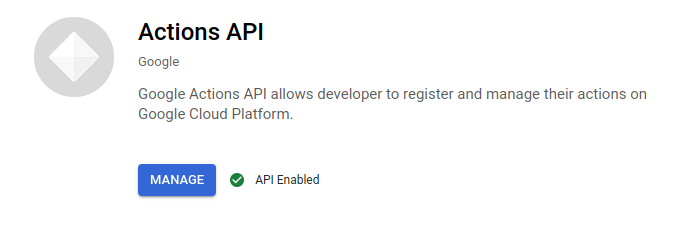
For the console work, I’m going to use Google’s excellent Cloud Shell. You may access this through the browser or through a terminal:
Trillian Map Mode
Chatting with one of Google’s Trillian team, I was encouraged to explore Trillian’s Map Mode. The following is the result of some spelunking through this unfamiliar cave. I can’t provide any guarantee that this usage is correct or sufficient.
Here’s the repo: https://github.com/DazWilkin/go-trillian-map
I’ve written about Trillian Log Mode elsewhere.
I uncovered use of Trillian Map Mode through Trillian’s integration tests. I’m unclear on the distinction between TrillianMapClient and TrillianMapWriteClient but the latter served most of my needs.
Minimizing WASM binaries
I’ve spent time recently playing around with WebAssembly (WASM) and waPC. Rust and WASM were born at Mozilla and there’s a natural affinity with writing WASM binaries in Rust. In the WASM examples I’ve been using for WASM Transparency, waPC and MsgPack and waPC and Protobufs.
I’ve created 3 WASM binaries: complex.wasm, simplex.wasm and fabcar.wasm and each is about 2.5MB when:
cargo build --target=wasm32-unknown-unknown --release
The Rust and WebAssembly book has an excellent section titled Shrinking .wasm. Code Size. So, let’s see what help that provides.
WASM Transparency
I’ve been playing around with a proof-of-concept combining WASM and Trillian. The hypothesis was to explore using WASM as a form of chaincode with Trillian. The project works but it’s far from being a chaincode-like solution.
Let’s start with a couple of (trivial) examples and then I’ll explain what’s going on and how it’s implemented.
2020/08/14 18:42:17 [main:loop:dynamic-invoke] Method: mul
2020/08/14 18:42:17 [random:New] Message
2020/08/14 18:42:17 [random:New] Float32
2020/08/14 18:42:17 [random:New] Float32
2020/08/14 18:42:17 [random:New] Message
2020/08/14 18:42:17 [random:New] Float32
2020/08/14 18:42:17 [random:New] Float32
2020/08/14 18:42:17 [Client:Invoke] Metadata: complex.wasm
2020/08/14 18:42:17 [main:loop:dynamic-invoke] Success: result:{real:0.036980484 imag:0.3898267}
After shipping a Rust-sourced WASM solution (complex.wasm) to the WASM transparency server, the client invokes a method mul that’s exposed by it using a dynamically generated request message and outputs the response. Woo hoo! Yes, an expensive way to multiple complex numbers.
waPC and MsgPack (Rust|Golang)
As my reader will know (Hey Mom!), I’ve been noodling around with WASM and waPC. I’ve been exploring ways to pass structured messages across the host:guest boundary.
Protobufs was my first choice. @KevinHoffman created waPC and waSCC and he explained to me and that wSCC uses Message Pack.
It’s slightly surprising to me (still) that technologies like this exist with everyone else seemingly using them and I’ve not heard of them. I don’t expect to know everything but I’m surprised I’ve not stumbled upon msgpack until now.